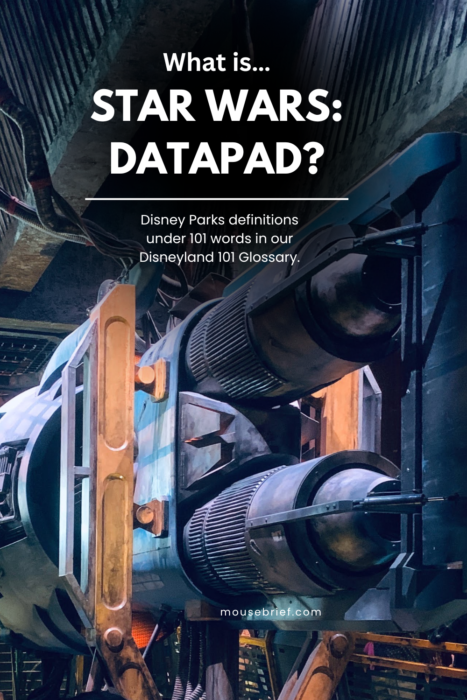
This is an entry in our Disneyland 101 Glossary for Star Wars Data Pad: Disneyland Resort definitions in under 101 words, from Mouse Brief.
For extra information on the Star Wars: Data Pad and the Play Disney Parks app, keep reading after the glossary entry.
If you enter Star Wars: Galaxy’s Edge with the Play Disney Parks mobile app on your device, it will transform into the Star Wars Data Pad. The app interface changes, and you can play games specific to Star Wars: Galaxy’s Edge, even interacting with physical elements around the land. You can choose whether you want to join the Resistance, the First Order or forge your own path as a scoundrel. Then, you can do things like intercept intelligence, scan crates for hidden goods or accept jobs from your chosen alliance. Use of Star Wars: Data Pad is free with admission.
Note: The Batuu Bounty Hunters Game in the Play Disney Parks app is free to play, however you must pair it with a MagicBand+, which you can purchase for an additional fee… so not exactly free. Batuu Bounty Hunters is a separate but related activity within the app. Star Wars: Datapad and the activities specific to the Star Wars Rise of the Resistance Queue called “Resistance Encampment” and the one for Millennium Falcon: Smugglers Run called “Flight Crews Wanted” are free and do not require a MagicBand+.
Thank you for reading this entry in our Disneyland 101 Glossary. For help planning your Disneyland visit, please see our free and complete Step-by-Step Disneyland Prep. For more on using the Play Disney Parks app, keep reading.

Tips for Using The Play Disney Parks App
I have a complicated relationship with the Play Disney Parks app (and the standard Disneyland app). On the one hand, I find them to have very helpful tools for our Disneyland visits, and I appreciate that they are easy to learn and use. On the other hand, I miss the days when everyone in Disneyland Resort did not have a mobile device in their hand, and I wish that everyone, myself included, would keep them stowed-away for more of our visits.
Should You Skip the Play Disney Parks App?
Disneyland Resort has incredible environments. The visual details—from items on a balcony to the placement of planters—fill me with curiosity and wonder. The music and other built-in sounds prompt me to start imagining my own stories. Even the lighting choices transport me into the lands of yesterday, tomorrow and fantasy. The problem is that all this little (magical!) stuff is kind of easy to miss if your attention is divided… like when I am looking at a tiny screen. Furthermore, I particularly treasure our time at the Disney parks for the unique kinds of opportunities I have to connect with loved ones. Again, that’s more difficult to do when I am looking at a mobile screen.
My advice is to use the Play Disney Parks app to connect with your group and with the environment and stories around you. It can be a good tool for that if you use it well and in moderation.
So, how can we use the Play Disney Parks app as a tool for connection? Here are some tips from our family:
Turn the Play Disney Parks App Into a Group Experience
The Play Disney Parks app is at its best when it brings people together. Several of the activities within the app are group games, and we prioritize those over other features of the app. Specifically, these games are: Off to Neverland, Rocket Race and Playset Party. We love that these games get us laughing and talking when a long line could otherwise prompt us to lose patience with one another.
The one-player activities in the Play Disney Parks app can also lend themselves to conversation. There are several trivia games, and you can certainly read these questions out loud and discuss them with your group. The same goes for the fortune-teller activities. We think the Play Disney Parks app can be a great group activity, if you choose to use it that way.
Use the Play Disney Parks App When You Are Standing in Line
We also recommend using the Play Disney Parks app only when you are standing in a queue (or maybe outside Disneyland Resort). We do not like standing in lines at Disneyland, so we use the Play Disney Parks app to make things more exciting.
Now, even the queue areas at Disneyland have some magical details. So, we do not even use the app the whole time we are in line, but we might take it out if we are going through a switchback area like the ones outside Peter Pan’s Flight or Toy Story Midway Mania. In those lines, the zig-zagging line means we are seeing the same things over and again, so it is nice to do something different. We also use it in particularly long lines like the ones we regularly encounter for Star Wars: Rise of the Resistance or Space Mountain.
Best Place to Use the Play Disney Parks App
With that in mind, here are our favorite places to use the Play Disney Parks app at Disneyland Park, Disney California Adventure Park and even outside the parks.
In the Queue for Peter Pan’s Flight in Disneyland Park
The ”Off to Neverland” game requires that you be in or near the Peter Pan’s Flight queue to use it, and it is our favorite Play Disney Parks app feature. We like it because it is a 2-5 player game and it encourages you to, not only look around the area, but also to talk with your travel party. Even better, it actually triggers a special physical effect in the queue! We like it so much that we wrote about it here: Get the Play Disney Parks App Before Riding Peter Pan’s Flight.
There is an “anywhere” version of the “Off to Neverland” game in the Play Disney Parks app, but it’s not as exciting as the in-queue version. Still, it could be fun if you are missing Disneyland and want a little “pixie dust” in your day
In the Queue for Toy Story Midway Mania! in Disney California Adventure Park
“Playset Party” is another game that work is a particular attraction area: Toy Story Midway Mania! Like “Off to Neverland,” the game Playset Party entices you to interact with the queue environment and your group. Another feature that the two games have in common is that they really liven-up the in-line experience for two queues with generally boring switchbacks.
A final similarity is that you can also play “Playset Party” outside the park, but again, it is a more limited experience. We suggest saving it for the queue to maintain the novelty.
In the Queue for Star Wars: Rise of the Resistance in Disneyland Park
We are now blasting back to the Star Wars Datapad we featured at the start of this post: we like using the Play Disney Parks app in the queue for Star Wars: Rise of the Resistance in Star Wars: Galaxy’s Edge at Disneyland Park. This is routinely among our longest waits during a Disneyland visit, and the operational issues this attraction experiences all too frequently can make the line stall completely. We like opening up the Play Disney Parks app here because it has elements that specifically correspond to the queue, and it extends the storytelling.
This activity does rank below the previous two for us because it tends to be a solo activity, and because it’s a little complicated to jump into. We find Off to Neverland and Playset Party to be more beginner friendly, while the Star Wars Datapad (including Resistance Encampment features) have a bigger learning curve. Still, if you or someone in your group is a big Star Wars fan, or if you are able to spend a lot of time in Star Wars: Galaxy’s Edge, this might be a good game for you. We think it is worth checking-out at least once for everyone.
Again, keep in mind that the related ”Batuu Bounty Hunters” feature does require a MagicBand+ to play, but you do not need that accessory for the other Star Wars Datapad activities.
In the Queue for Indiana Jones Adventure
Did you know there are secret messages hidden throughout the Indiana Jones Adventure queue? There are messages everywhere, and you can use the Play Disney Parks app to decode them. The game within the app is called “The Gifts of Mara,” and it is set-up as a one player game.
Fortunately, and unfortunately, the queue moves pretty quickly these days, so it can be tough to spend enough time in front of a message to actually decode it. Still, we like this activity because it effectively “unlocks” a new dimension to the queue that guests would not experience otherwise. Plus, I like it for nostalgic purposes, as it brings be back to the days when you could collect decoder cards at the queue entrance. You can read about that here: Booyah! 5 Rad Childhood Memories from 1990s Disneyland. To give yourself more time to decode the glyphs, we suggest snapping a photo of them with your mobile device and using that photo as a references for decoding the messages while you are waiting in areas with no messages.
At Home
Our final favorite place to use the Play Disney Parks app is at home. The trivia games and other little activities give us a touch of Disney parks magic at home. We like being able to relive fond memories of our visits and get excited for future trip to Disneyland Resort.
How to Get The Play Disney Parks App
Hopefully you get the chance to use the Play Disney Parks app in a way that helps you to connect with your loved ones and the environment around you. The Play Disney Parks app is free to download, and you can find it on the Apple App Store and on Google Play. Find out more here.
Thanks for reading, and do not forget to explore our free and complete Step-by-Step Disneyland Prep for all of our best planning tips. Thanks again for your time!