This is an entry for “attraction photos” in our Disneyland 101 Glossary: Disneyland Resort definitions in under 101 words, from Mouse Brief. After the entry, we have answers to frequently asked questions about attraction photos at Disneyland Park and Disney California Adventure Park.
At the time of this writing, Disneyland Resort is providing complimentary digital photo downloads for select attractions at Disneyland Park and Disney California Adventure Park. In a designated place in each of these attractions, cameras snap photos of passing ride vehicles. At the exit, guests may view these photos on preview screens and link them to their Disney account using the posted ID numbers. In the past, attraction photos have been available only for a fee or with PhotoPass service. Buzz Lightyear Astro Blasters has photos you can email to yourself for no cost.
Thank you for reading this entry about attraction photos. You can read more Disney definitions under 101 words in our Disneyland 101 Glossary. Keep reading for frequently asked questions.
Attraction Photos at Disneyland Resort, FAQs
How do I get attraction photos at Disneyland Resort?
Select attractions at Disney California Adventure Park and Disneyland Park have cameras mounted along their ride tracks. As each ride vehicle passes the camera, it automatically snaps a photo (you may notice a flash). You are then able to save and download your photo for personal use. Here is the process:
Use the Disneyland App to Save and Download Your Photos
As you exit the ride look for an area at the exit with screens displaying photos of individual ride vehicles. In addition to showing the photos, these screens will also display a unique alpha-numeric code. Take note of this 8-character code. Many people opt simply to snap a photo of the ride photo with their mobile device in order to capture the code.
Now open the Disneyland app on your mobile device and select either the little (+) symbol in the bottom center of the screen or the menu icon in the bottom right corner of the screen (it’s the one with three stacked lines, like a little sandwich). On the menu screen, select the tile labeled “Link Photos.” If you entered the menu through the (+) instead, select “Link PhotoPass Photos.” Either way you will end up at a screen with further choices. From here, you should see the option to “Link Attraction Photo.” Enter your 8-character code on this Link Attraction Photo Screen.
Alternatively, you can log onto your MyDisney account through a web browser and save and download your photos from there. The process will be similar.
Downloading Disneyland Resort Attraction Photo
When you have completed this linking process, the attraction photo should become part of your MyDisney photo gallery. You can access the photo gallery from the Disneyland app or through your account on the Disneyland website. Once the photos are part of your account, you are free to download them for your personal use, just as you would use photos you had taken yourself or those you purchase through PhotoPass. Simply download the photos from your MyDisney gallery to your personal device.
Keep in mind that attraction photos will not stay in your MyDisney photo gallery indefinitely. They do have an expiration date and will not be available for download after that time. Check the policies at the time of your visit. At the time of writing, it is 45 days for general ticketed guests and 365 for those with Magic Keys. Once you download your photos, you do not have to worry about expiration dates: these only apply to the photos in your MyDisney photo gallery. That is why we suggest downloading your photos immediately after your visit.
Which rides offer photos at Disneyland Park and Disney California Adventure Park?
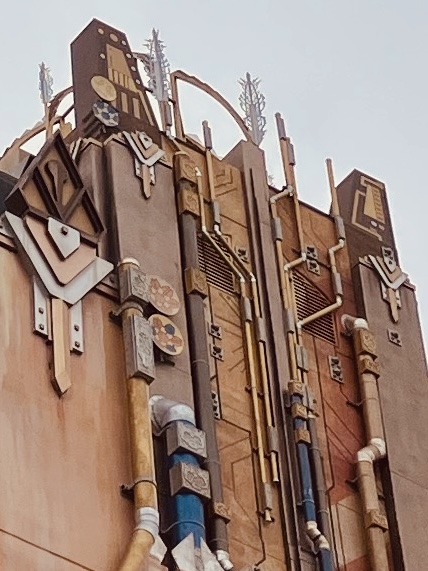
At the time of writing, Disneyland Resort offers in-ride photos for the following attractions: Guardians of the Galaxy—Mission: BREAKOUT!, Incredicoaster, Radiator Springs Racers, Space Mountain and Tiana’s Bayou Adventure.
Buzz Lightyear Astro Blasters also offers in-ride photos, but you will access these a little differently. As you exit Buzz Lightyear Astro Blasters you will find photo screens which allow to email your photo to yourself. We find that these are lower quality photos than the other attraction photos. However, they are a fun way to commemorate your skill on the attraction. Plus, I often forget I sent them to myself, and receiving them at home is a nice surprise.
How much do attraction photos cost at Disneyland Resort?
At the time of writing, digital downloads of attraction photos are offered free to all guests with valid admission. Keep in mind that you will need to create a free MyDisney account in order to download attraction photos.
In the past, you needed to pay an extra fee in order to buy Disneyland attraction photos or could access them as part of a PhotoPass package. That has not been the case for several years now.
Are attraction photos the same as PhotoPass? Are attraction photos included in Disneyland Resort PhotoPass?
Attraction photos are a different offering than the Disneyland Resort PhotoPass service. At the time of writing, attraction photos are currently included with valid admission to the parks of Disneyland Resort. The attraction photos will show-up in the same photo gallery as PhotoPass photos. Check your MyDisney account to view them. But unlike attraction photos, Disneyland Resort PhotoPass is not currently free with admission.
The PhotoPass service allows you to download photos and videos taken by Disneyland Resort photographers. These photos often include digitally enhanced Magic Shots. You have the option of paying a package price for all photos taken on a particular day, or you have the option to purchase particular photos. At the time of writing, PhotoPass is included as an added perk when you buy Lightning Lane Multi Pass.
Keep in mind that you can also ask Disneyland Resort photographers or cast members to take photos of you using your own device. There is no charge for this, and many guests choose to do this when they are meeting characters. These photos will not include Magic Shots.
Thank you for reading this entry for attraction photos in our Disneyland 101 Glossary.
For more Disney definitions in under 101 words, visit Disneyland 101 Glossary. For help planning your Disneyland Resort visit, please explore our free and complete Step-by-Step Disneyland Prep. Thanks again for reading!